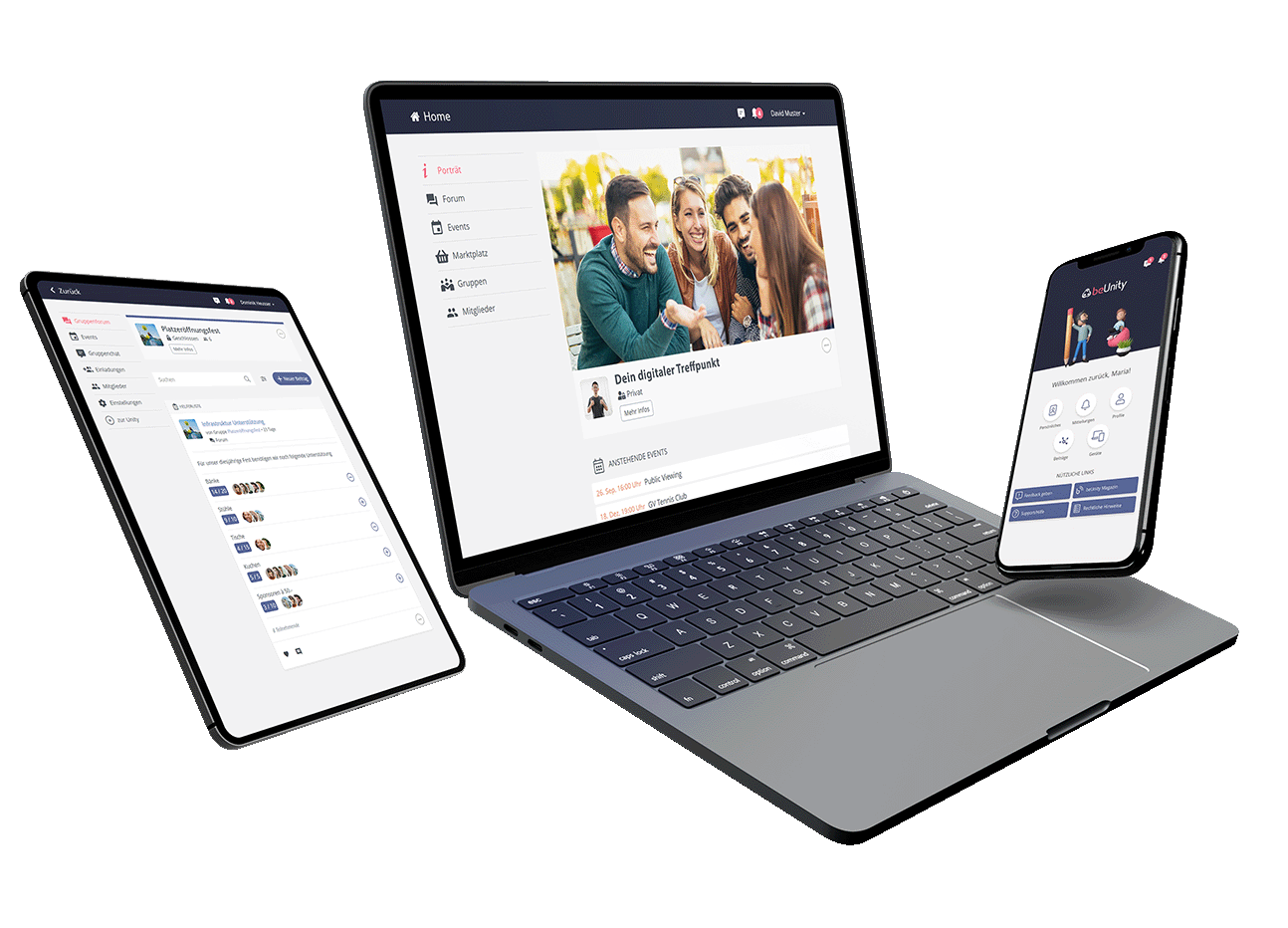
Dive into our features
Discover the tools that make community management easier, more interactive, and more effective.
Forum
The interactive bulletin board for your community.
News
Surveys
Helper Lists
Scheduling

News
Share important updates quickly and easily within the forum – no long email chains required. Members can comment directly, attach images and files, and engage in conversation. This fosters transparency, saves time, and encourages community interaction.
Surveys
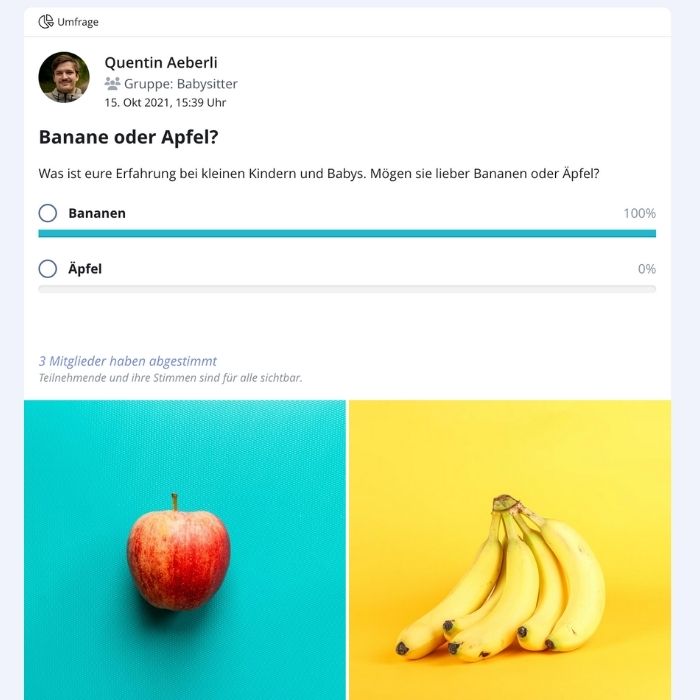
Collect opinions efficiently with single- or multiple-choice polls right in the forum. Results are instantly visible, exportable, and promote transparent, participatory decisions. Every voice counts, and the community is actively shaped.
Helper Lists
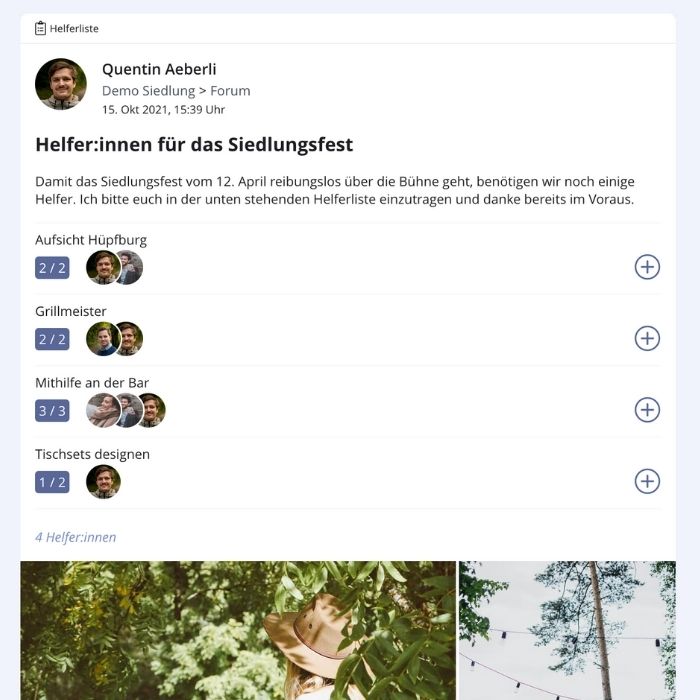
Coordinate volunteers effortlessly: create tasks that members can sign up for themselves. Whether for a club event, project, or action day – helping out becomes easy, visible, and binding. No email chaos or Excel needed.
Scheduling
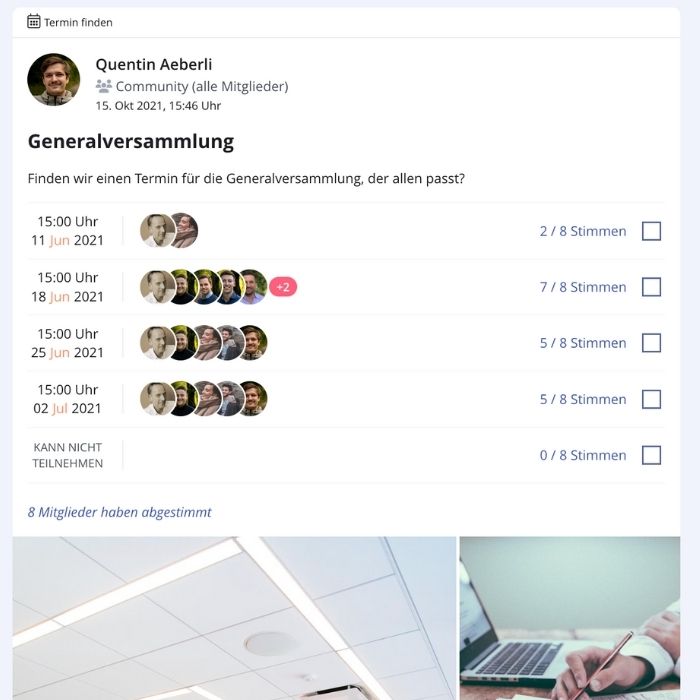
Skip Doodle & Co: find suitable dates directly in beUnity. Members enter their availability, and the platform automatically suggests the optimal date. Export to Excel included – fast, clear, and within your familiar environment.
Event Overview
All community events in one place.
Overview
Calendar Sync
Attendance Tracking
Recurring Events
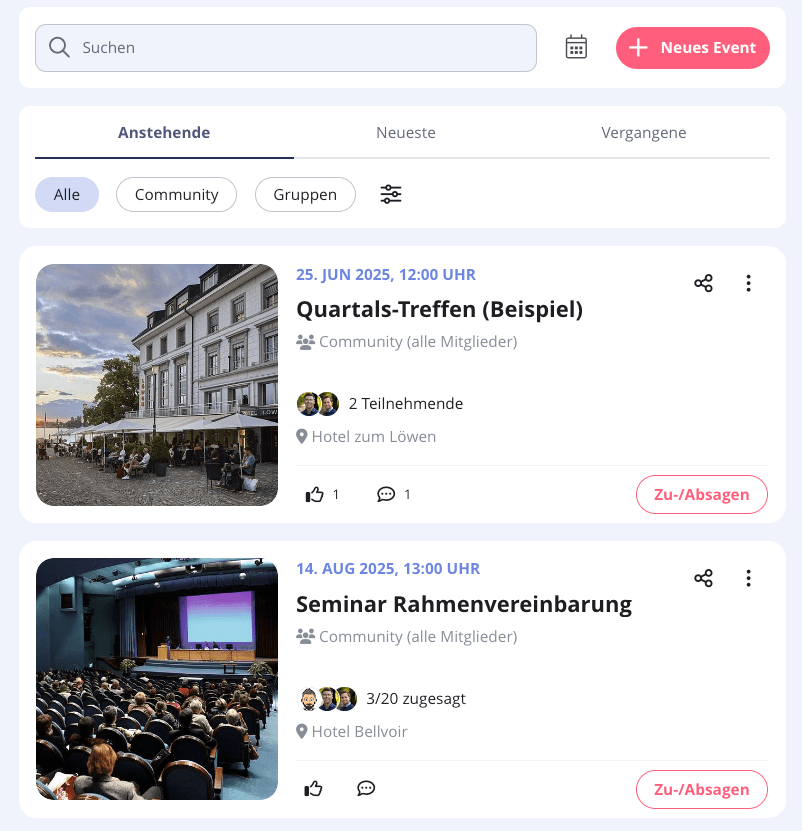
Overview
See upcoming meetings and events clearly and chronologically. Members can register or deregister directly. This increases participation and reduces coordination effort.

Calendar Sync
Never miss an event: members can sync events directly with their personal calendars. Any updates are reflected live.
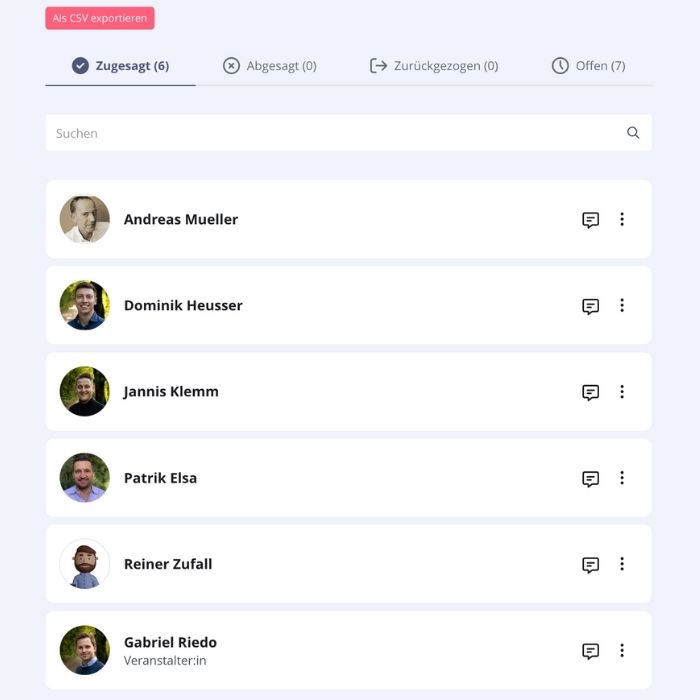
Attendance Tracking
Track who’s coming and who’s not. RSVP information is automatically recorded. Admins can export attendee lists to Excel anytime – complete, up-to-date, and ready in seconds.

Recurring Events
Plan repeating events effortlessly: set up weekly, monthly, or custom recurring meetings. Ideal for training, sessions, or fixed gatherings – saves time and keeps calendars structured.
Announcements
Official community communications.
Official Posts
Newsletter
Embeds
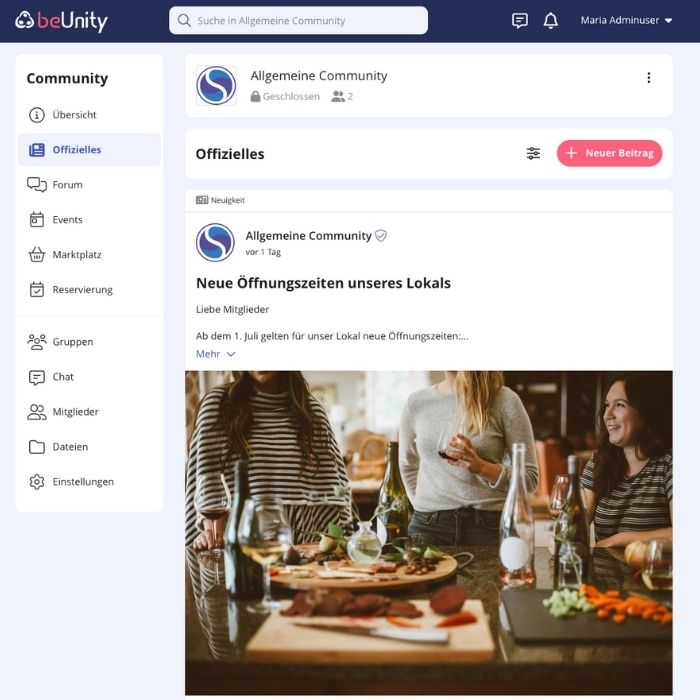
Official Posts
Communicate important messages centrally and professionally. Official posts appear in a dedicated area, can be shared externally, and can even serve as a simple website alternative for smaller organisations.

Newsletter
Send relevant posts by email to all members or selected addresses with a single click. Perfect for announcements, event reminders, or other key information – without using separate newsletter tools.

Embeds
Embed public posts directly on your website via iFrame. News and events appear where you want them without duplicate entry.
Files
The smart file storage solution.
Overview
Create Folders
Search
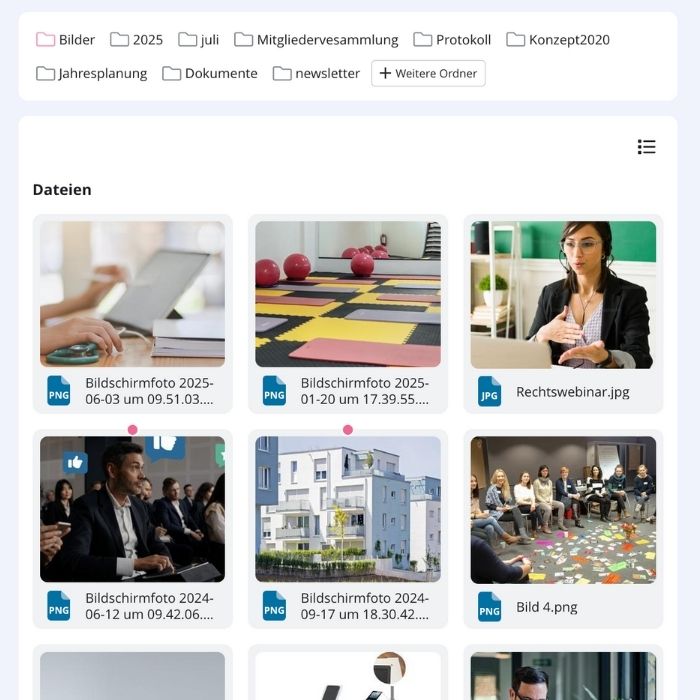
Overview
All uploaded files from posts and chats are automatically collected in one place. Members can quickly find important documents – clearly organised, searchable, and always accessible.
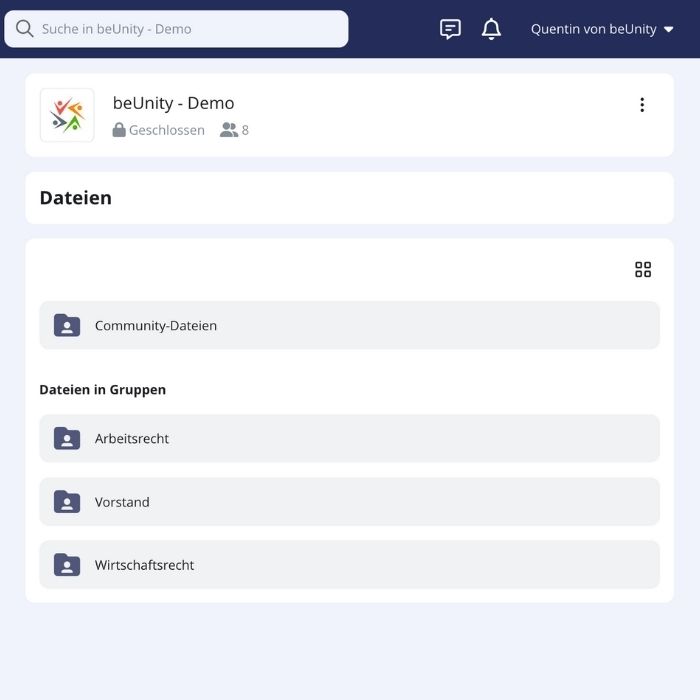
Create Folders
Organise files with folders and smart tags. Admins can structure documents flexibly, and files can have multiple tags for easy access from different perspectives.

Search
Full-text search allows members to find documents by name or content. No need to browse every file to get answers.
Members
All member information in one place – secure and up-to-date.
Central Overview
Custom Profile Fields
Roles & Permissions
Import & Sync
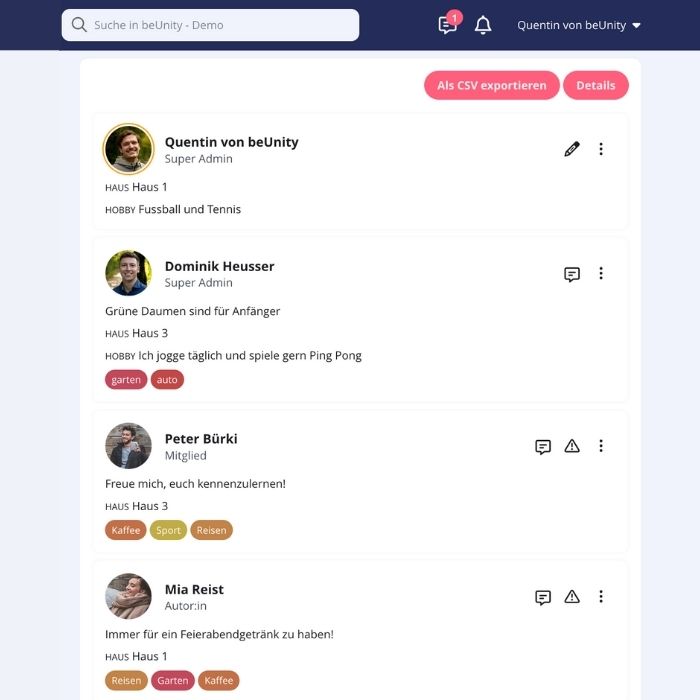
Central Overview
All member information in one place, with search, filters, and group assignments. Data can be exported. Flexible access rights – visible to all or only to admins. Perfect for transparency and efficient management.
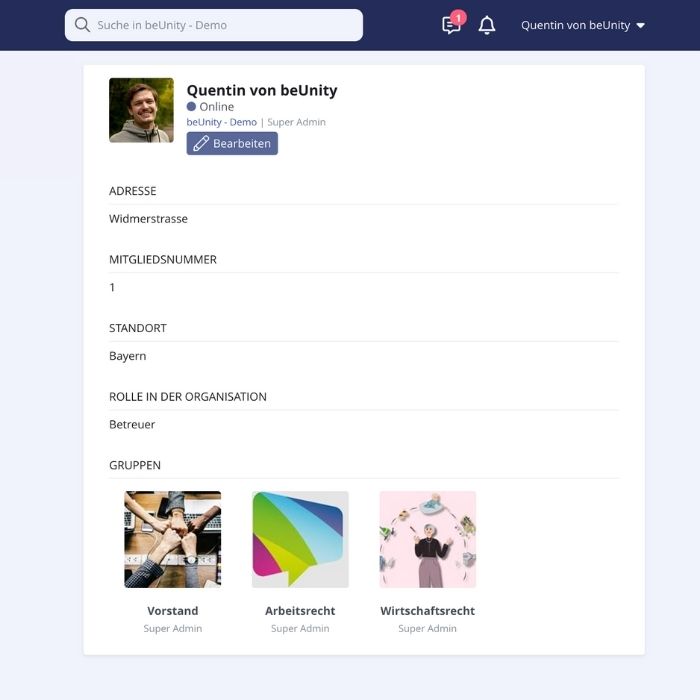
Custom Profile Fields
Tailor member profiles: track relevant info such as year, roles, or certifications with customizable profile fields. Profiles remain meaningful and support your specific needs – for better organisation and targeted communication.
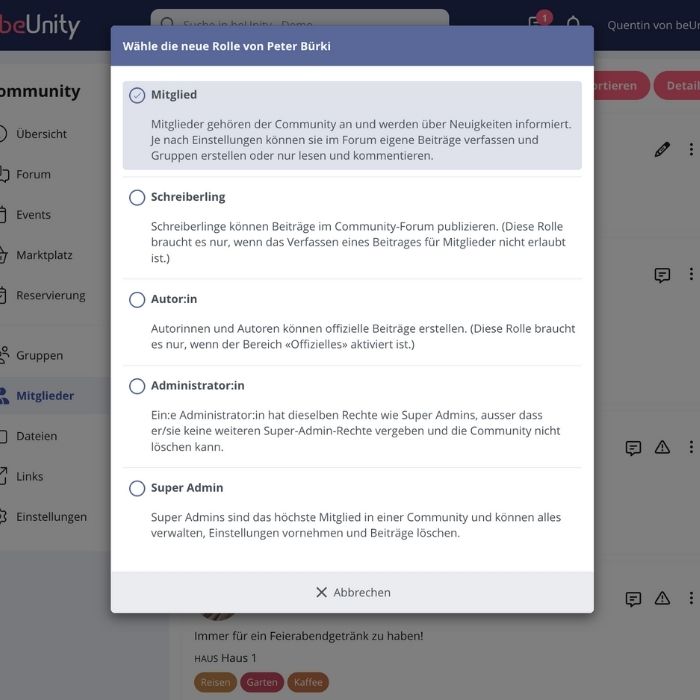
Roles & Permissions
Assign roles and permissions flexibly to control who sees or edits information, keeping management secure and structured.
Import & Sync
Easily import or synchronise member data from other systems for quick setup and ongoing accuracy.
Groups
Collaborate and connect in smaller circles.
Open, Closed, or Private
Automatic Assignment
Import
Open, Closed, or Private
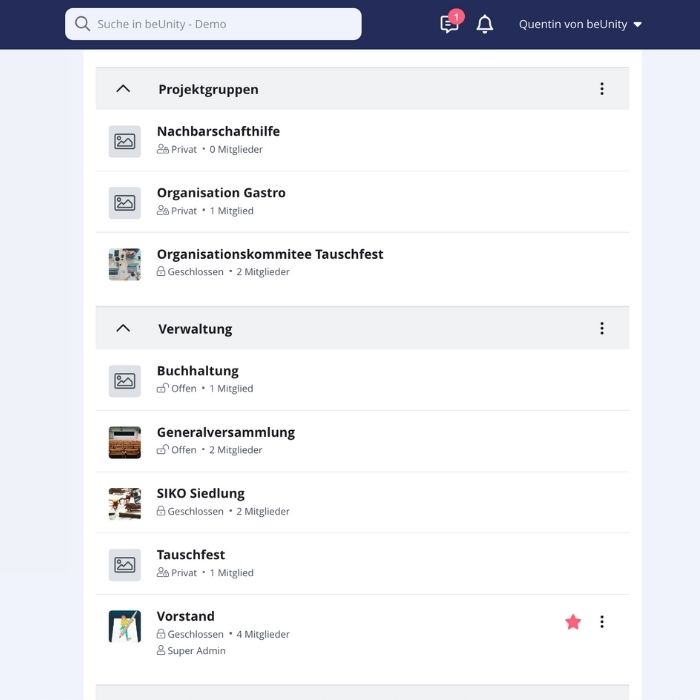
Organise your community with three group types: open, closed, or private – you decide who participates. This allows for open discussion groups, closed working teams, or confidential committees. Manage your entire structure on one single platform.

Automatic Assignment
Members are automatically assigned to the right groups based on defined criteria. This saves valuable time, eliminates manual errors, and ensures your group structure is always up to date.

Import
Easily import your existing group and organisational structures into beUnity. Especially useful for complex setups – allowing you to get started quickly, efficiently, and systematically.
Notifications
Stay informed – instantly.
Push Notifications
Email Notifications
Summaries

Push Notifications
Reach your members in real time: important posts, comments, or reminders are delivered instantly as push notifications to their smartphones. Communicate in a modern, mobile, and low-threshold way – exactly how your members expect it.

Email Notifications
Keep the familiar communication channel alive. Even without daily app usage, your members stay up to date — news, reactions, and interactions are also sent straight to their inbox via email.

Summaries
Automatically generated newsletters compile all relevant information — daily or weekly. Members receive concise updates on posts, events, and more. This keeps everyone informed efficiently and conveniently, without the overwhelming email flood.
Marketplace
Search, find, help – all within your community.
Offer
Search
Offer
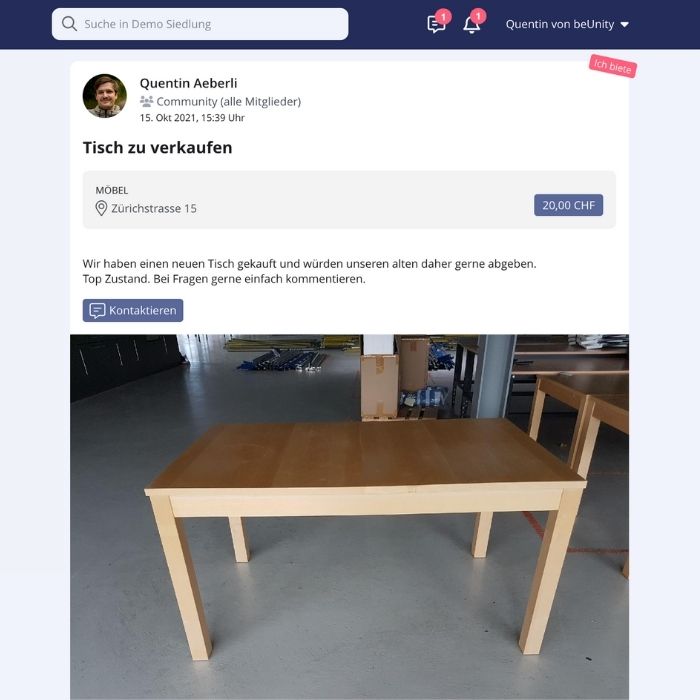
Whether giving away, swapping, or selling, the marketplace makes it easy. Members can offer items to the community, from tools to furniture. This promotes sustainability, saves resources, and strengthens the sense of community. Everything stays in circulation to bring joy to others.
Search
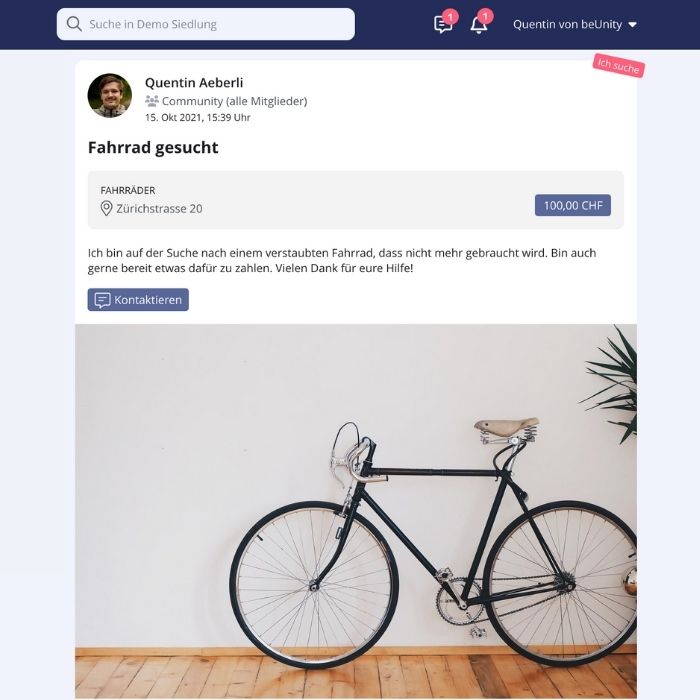
Simply enter what you need and get help from your community. Requests can be created and removed quickly, enabling effortless exchanges and a truly active network.
Reservations
Manage rooms, equipment, and infrastructure with ease.
Overview
Shared Responsibility
Approval Process
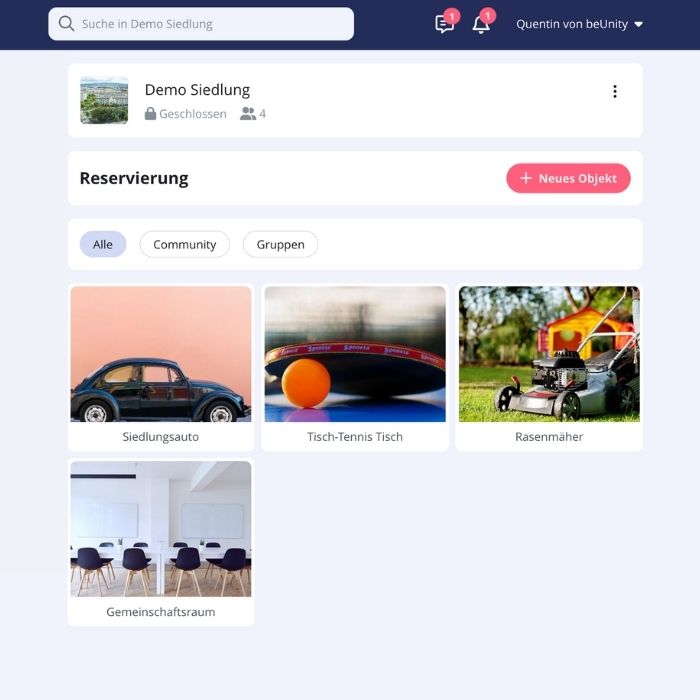
Overview
See all bookings at a glance: the calendar view clearly shows when and what has been reserved — from rooms and equipment to vehicles. This prevents double bookings and ensures clarity for everyone involved.

Shared Responsibility
Give multiple people access to the same resource — perfect for teams or shared responsibilities. This distributes workload, simplifies substitutions, and makes organisation more efficient.
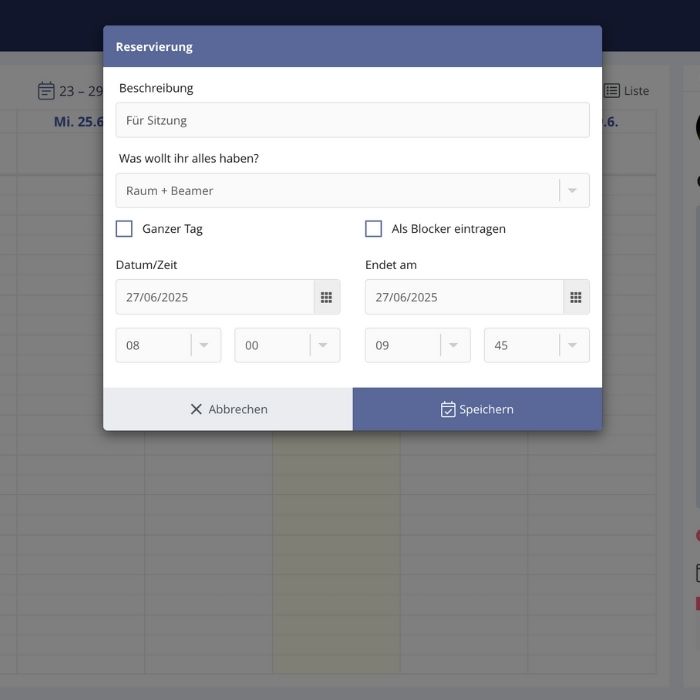
Approval Process
For sensitive resources, reservations can be confirmed only after approval. This keeps you in control, avoids booking errors, and ensures smooth operations.
Help & Share
Make mutual support visible and easy to organise.
Share Services & Items
Easy Coordination
Contact Providers
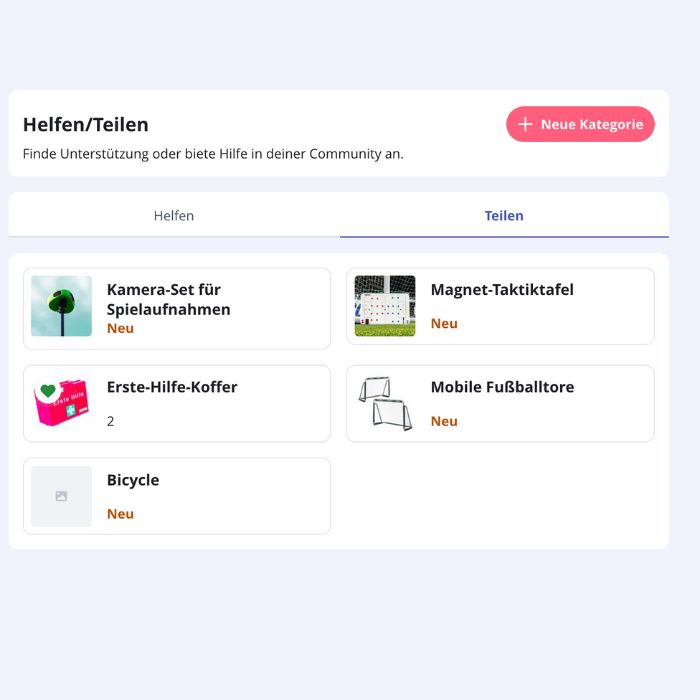
Share Services & Items
Whether it’s providing transport, helping at events, or lending a projector for the next meeting, members can offer what they can contribute — either time or resources. Admins create appropriate categories, and members sign up directly. This makes collaboration simple and seamless.
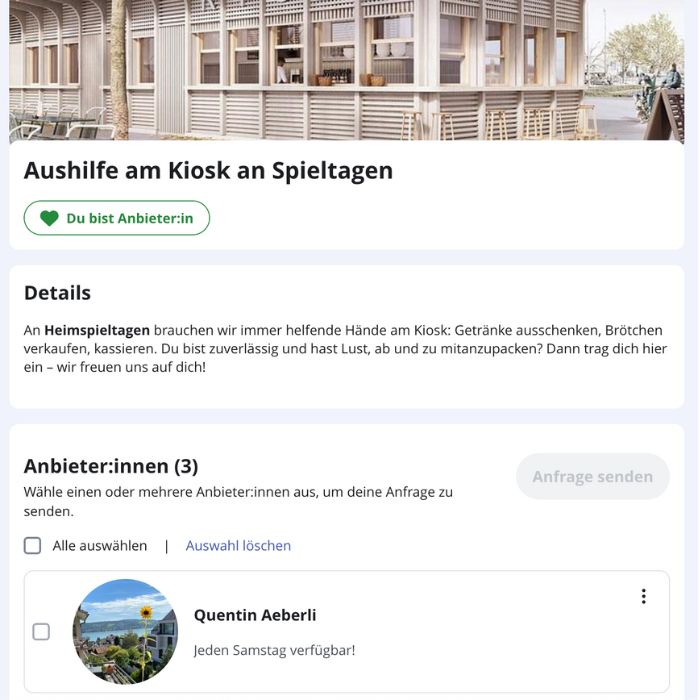
Easy Coordination
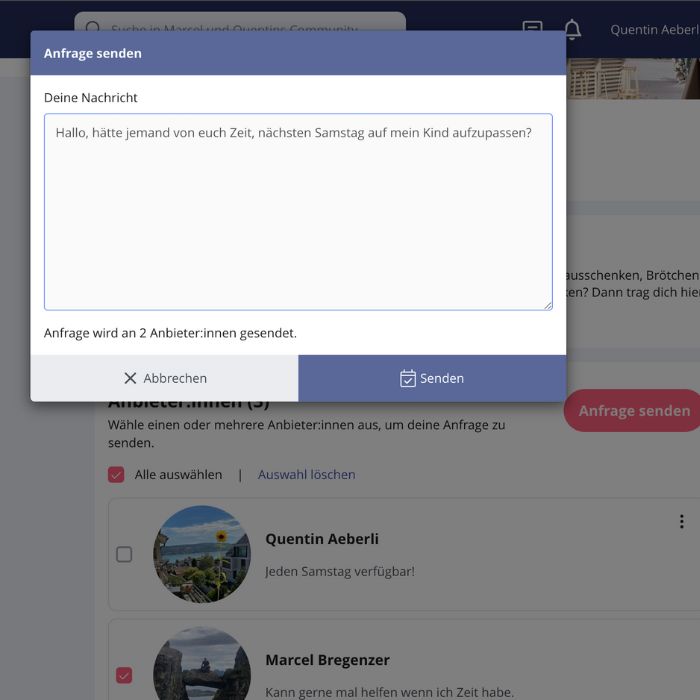
All offers and requests are clearly structured and centrally accessible — no need for emails, group chats, or Excel sheets. Members who want to contribute can sign up themselves, and those in need can find what they’re looking for in one place.
Contact Providers
Anyone seeking help can easily select the desired offers and contact the providers. Each member offering support decides for themselves whether to help or not.
More Features
Even more functionalities to keep everything in one place.
Chat
SMS Verification
Full-Text Search
External Links
Chat
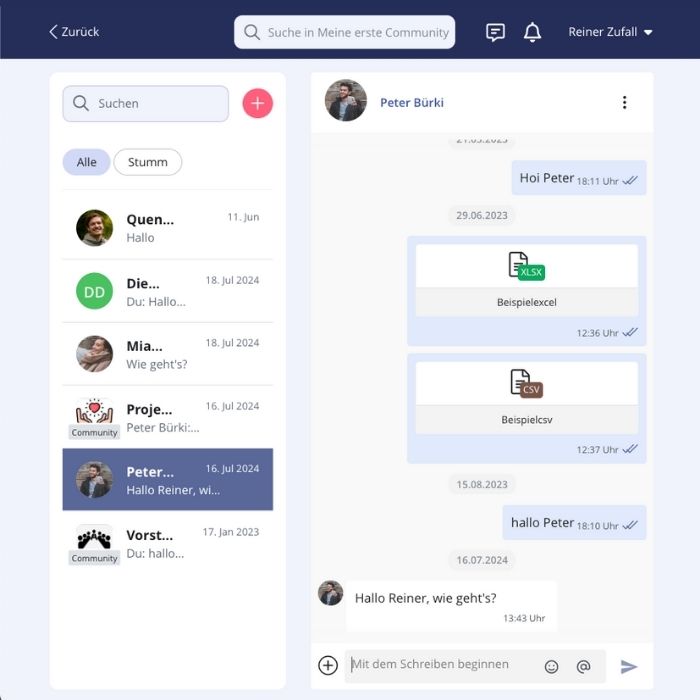
Fast, direct, and familiar: the chat allows for 1:1 or group conversations. Just like other messaging apps, you can send files, images, and PDFs. Communication stays clear, centralised, and efficient — no more WhatsApp groups, and everything is fully GDPR-compliant via beUnity.

SMS Verification
Enable SMS verification during registration if needed. This ensures that only real people can join, increasing security, trust, and quality within your community.

Full-Text Search
Find content quickly and accurately: posts, chats, files, and comments are instantly searchable. The smart search even delivers relevant results for approximate terms, so you always find what you need without lengthy searching.

External Links
Integrate external resources, websites, or tools directly into the platform. Keep everything accessible in one place without switching between apps.