
Who belongs in which group? Until now, a question that regularly cost community managers valuable time. With the new Member Rules feature in beUnity, that’s a thing of the past.
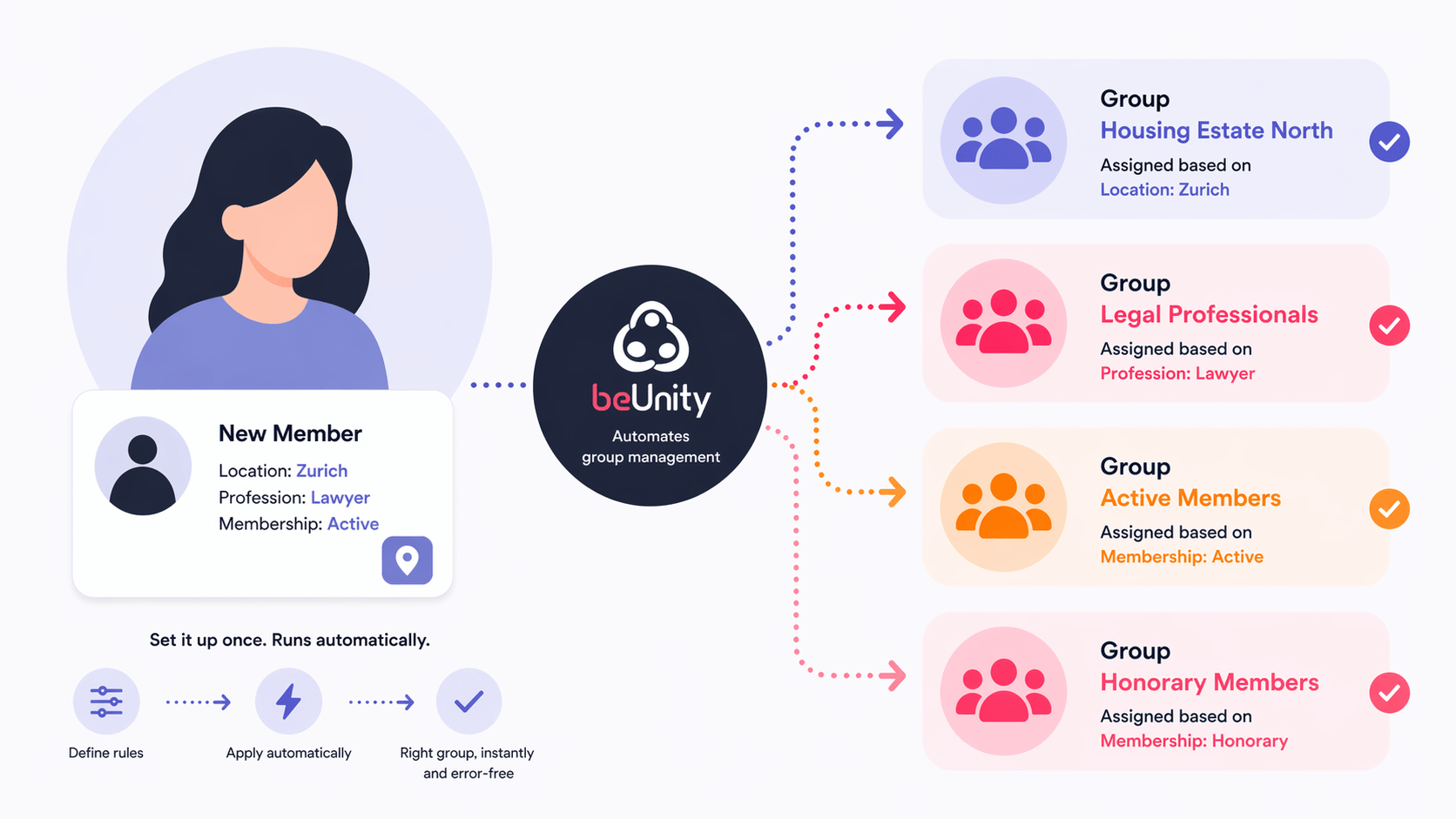
Imagine this: A new member signs up for your community, enters their membership status during registration — and is instantly placed in the right group without any manual intervention. No follow-up, no forgotten assignments, no effort.
That’s exactly what Member Rules make possible.
What are Member Rules?
Member Rules is a new feature that lets community managers set up rule-based automations for their groups. The logic is simple: if a member has a specific value in a specific profile field, they are automatically added to (or removed from) a group.
Once set up, everything runs in the background — fully automatic, in real time, for both existing and new members alike.
Why is this a gamechanger?
Many communities work with structured profile fields: location, profession, membership type, area of interest. This information about members has always been there — but manually translating it into group structures has cost time, energy, and often led to errors.
With Member Rules, that information automatically becomes structure.
Real-world examples
- 🏘️ Housing cooperative with multiple neighbourhoods: Members select their neighbourhood during registration → instantly assigned to the right neighbourhood group. Communications reach the right people — no manual sorting required.
- 💼 Professional association: Members with the profession “Lawyer” → automatically added to the “Legal” specialist group. Topic-specific content, events and discussions go directly to the relevant audience.
- 🎫 Membership organisation with different membership types: Active members, passive members, honorary members — each group automatically receives the right permissions and access.
The real value: getting time back
Community management is relationship work — not data administration. Every minute that managers spend on manual assignments, follow-ups and corrections is a minute not spent on what actually matters: content, engagement, community.
Member Rules take care of the routine. Automatically. Error-free. Scalable — whether a community has 50 or 5,000 members.
It’s this simple
- Activate the feature in your Community Settings under Advanced
- Define a Member Rule in the group settings
- Set the profile field, condition and action — done
From the moment you save, the automation kicks in. For all members. Immediately.
Want to know what automated member management could look like for your community? Get in touch — we’d love to show you.